THE ARENA / MOBILE
Play Martin Fighting Game on Mobile
Check Martin Fighting Game mobile instructions for iPhone and Android, including landscape play, touch controls, audio, controller setup, and limitations.
Original v12.9 · Checked October 21, 2026 · Build & test scope
← Back to the gameiPhone and iPad
The supplied HTML5 build has touch controls, but physical iPhone/iPad Safari play has not been verified here. Opening the browser game is separate from installing an iOS app. This site does not provide an iOS installer.
Android
Android hardware is also untested. Start with the browser game and observe whether the game’s touch interface appears. No APK is supplied by this site. Desktop mobile simulation only verified layout.
Landscape and fullscreen
Rotate to landscape for more room. Fullscreen / expand first tries the browser Fullscreen API and keeps an expanded view if that fails. Exit expanded view stays available. Browser restrictions can prevent automatic orientation changes.
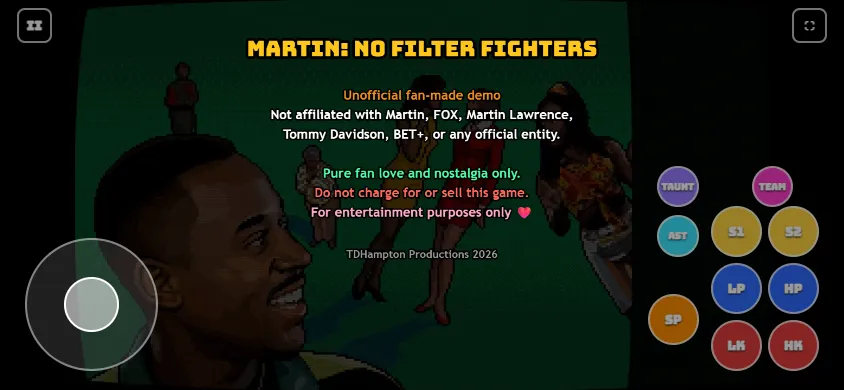
Touch and gamepad
The game contains both input paths. A simulated screenshot does not prove Bluetooth reconnection, controller hot swapping or touch restoration. Use the controls guide to read the defaults.
Sound and returning to the tab
Tap inside the game before expecting sound. The game pauses a local fight when hidden; after returning, focus it and use its pause menu to resume. Check in-game volume and browser mute state if audio is missing.
Offline and installation
Self-hosted assets do not make this website an offline app. There is no service worker or offline-install promise. Adding a shortcut to a home screen does not establish offline cold-start support.